Your profile should tell a clear story
A useful GitHub profile makes it easy to understand who you are, what you are learning and what you can build. It does not need to look complicated; it needs to be accurate, organised and supported by working projects.
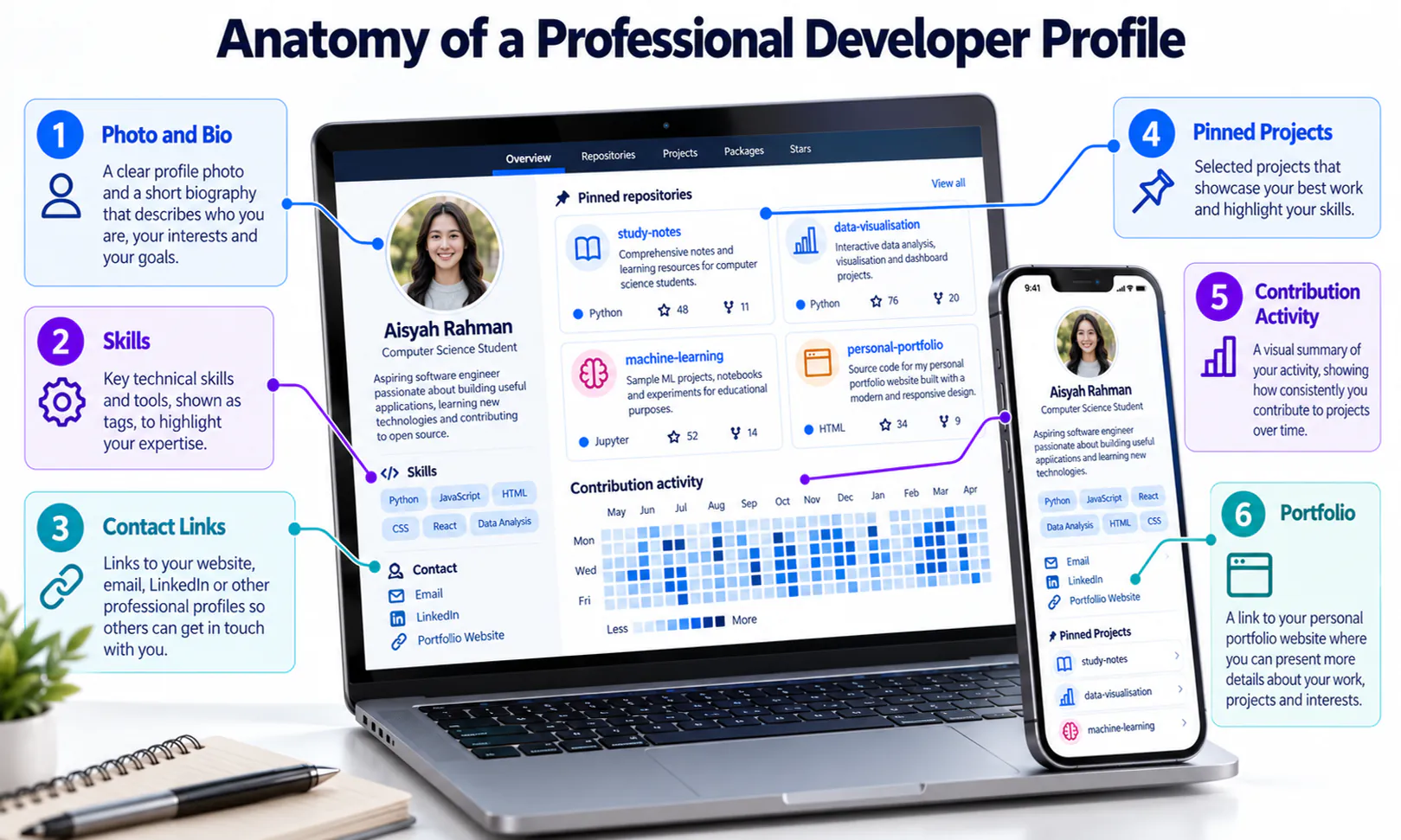
Profile anatomy
Your name, professional username, concise biography, profile README, pinned repositories and relevant links should work together. Each element should help a visitor understand your current focus and verify the work you claim.
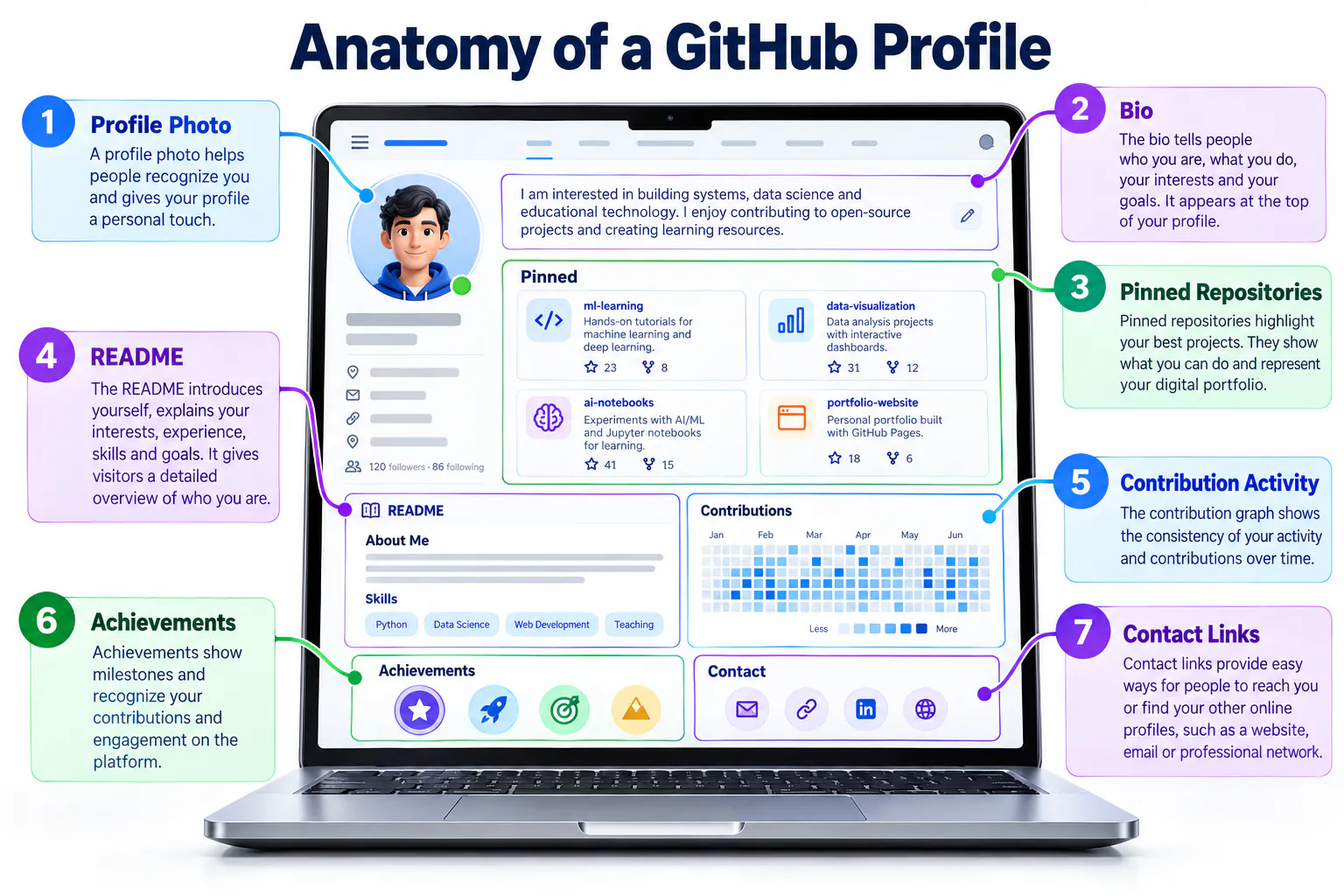
Connect GitHub to your digital portfolio
A portfolio provides context that a repository list cannot provide on its own. Select a small number of projects and explain the problem, your role, the tools used, the result and what you learned.
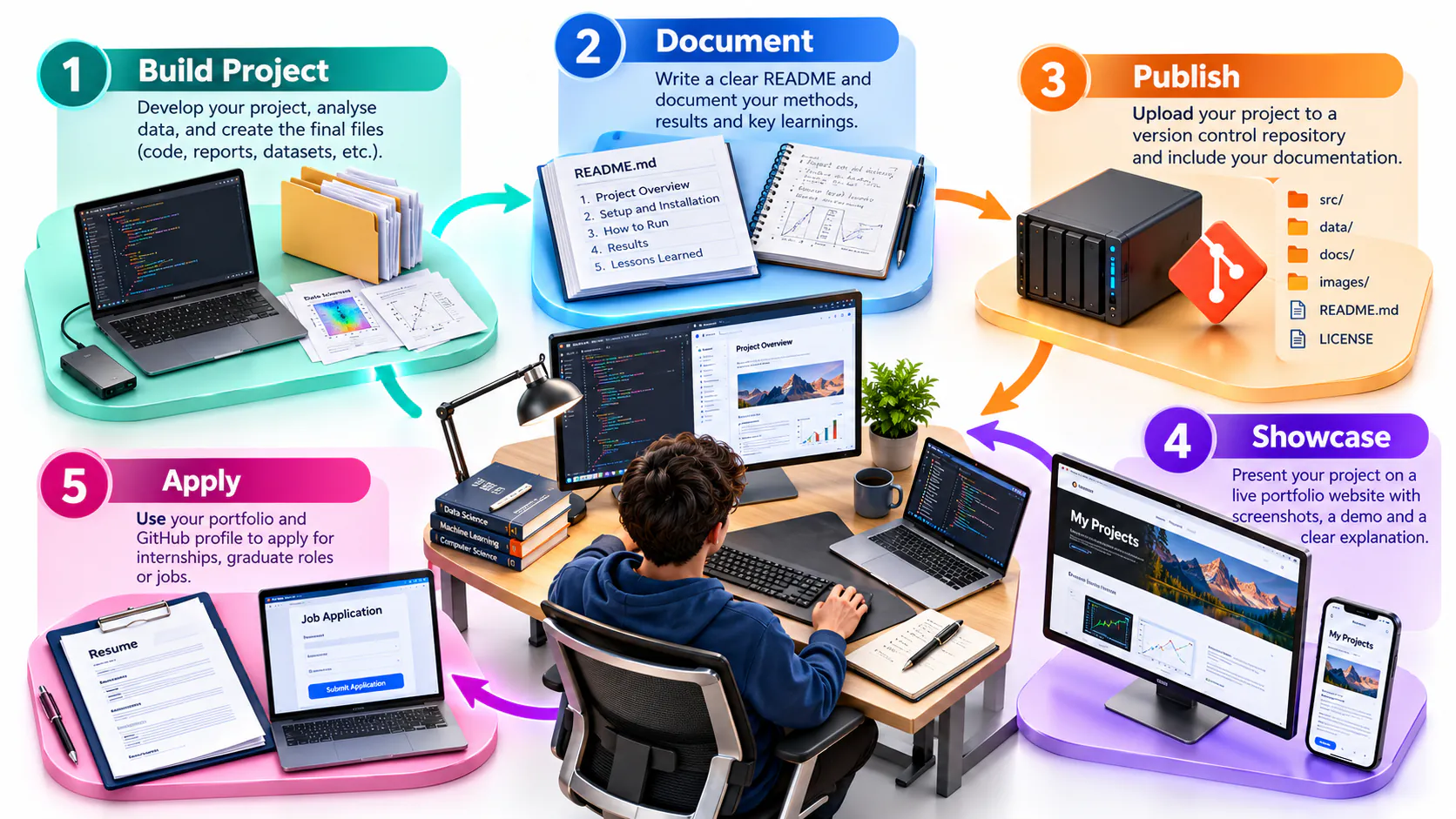
Learning outcomes
- Recognise the features of a credible student GitHub profile.
- Evaluate public examples using consistent criteria.
- Create or improve a profile README without exposing private information.
- Select repositories that demonstrate relevant skills and progress.
Explore the curated examples
Examine a small, varied selection of course showcases and student profiles. Compare how each person communicates identity, current learning and project evidence; adapt useful principles without copying personal text or visual design.
| Example set | What to observe |
|---|---|
| Big Data Management | How a course presents students and links their work. |
| High Performance Data Processing | Consistency of GitHub, LinkedIn and portfolio evidence. |
| Web Programming | How profiles evolve through coursework and projects. |
Professional profile checklist
| Area | Evidence to look for |
|---|---|
| Identity | A professional username, suitable photo or avatar, concise bio and relevant links. |
| Profile README | A short introduction, current learning focus, skills and selected work. |
| Pinned repositories | Two to six relevant projects with descriptive names and working links. |
| Repository quality | Clear README, sensible folders, meaningful commits, licence where appropriate and no secrets. |
| Authenticity | Specific explanations of the student’s contribution, decisions and learning. |
| Maintenance | Recent updates, corrected broken links and archived experiments when appropriate. |
Improve your profile
Audit
Open your profile in a private browser window. Record what a visitor can understand within 30 seconds.
Create a profile README
Create a public repository whose name exactly matches your GitHub username. Add a concise README.md introducing your study focus, current skills and selected projects.
Curate
Pin your strongest relevant repositories. Improve their titles, descriptions, topics and README files.
Verify
Test every link, remove placeholder text and confirm that no phone number, home address, password, API key or private document is visible.
Mini activity: three profiles, three lessons
- Select three different examples from the Sample collection.
- For each profile, record one strength and one possible improvement.
- Identify three ideas you can adapt without copying personal text or design.
- Implement at least two improvements on your own profile.
- Add a short reflection titled What I changed and why to your Topic 2 notes.
Respect privacy and authorship: Public does not mean unrestricted. Do not collect personal details, reuse profile text as your own or publish credentials and private documents.