Captions and Video Accessibility
Make the assignment understandable to viewers with different hearing, visual, language and learning needs.
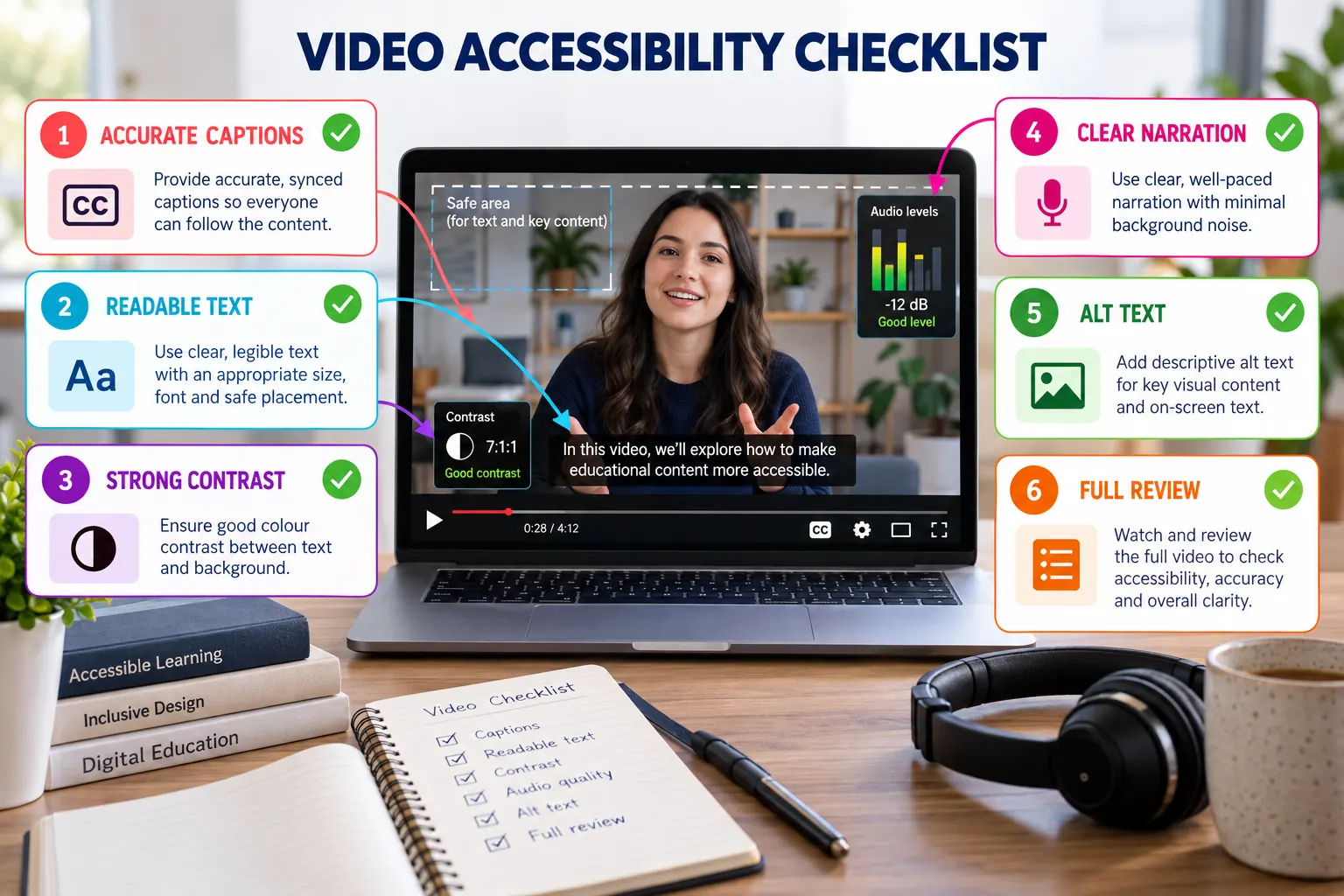
Accessibility requirements
Accurate captions
Correct terminology, names, punctuation and timing rather than accepting automatic output without review.
Readable text
Use large type, short lines and safe placement away from interface controls.
Strong contrast
Separate text from the background and do not communicate meaning through colour alone.
Clear narration
Use a steady pace, appropriate volume and minimal background noise.
Descriptive context
Explain important visual changes and provide alt text where the tool supports it.
Full review
Watch the final version with captions enabled and audio both on and off.
Caption quality check
Generate or add captions
Allow processing to complete before beginning the review.
Correct the transcript
Pay particular attention to course codes, tool names and technical vocabulary.
Style for readability
Choose suitable typography, position and contrast without covering evidence.
Test the complete video
Confirm synchronisation and ensure each caption remains on screen long enough.
Final accessibility checklist
- Captions match the final audio.
- On-screen text can be read at normal playback size.
- Visuals remain understandable without colour alone.
- Narration is audible on ordinary speakers.
- No rapid flashing or distracting movement is present.
- A transcript can be supplied if requested.